Psalmlock: Bible Screen Time
Scripture before you scroll
Psalmlock keeps the apps you choose locked until you've read today's Scripture. Read the passage, say a prayer, and your apps open. Reading plans for Protestants and Catholics, a decade of the Rosary each day, and public-domain Bible translations in English, Spanish, and Portuguese.

Free to download for iPhone (iOS 17 or later). Psalmlock requires a subscription or a one-time purchase; the yearly plan starts with a 7-day free trial for new subscribers.
Your Screen Time data stays on your iPhone. No account, no ads, no tracking.
How it works
- Choose your apps and lock hours. Pick the apps that pull you in, and when the daily lock starts and ends. Psalmlock uses Apple's Screen Time to lock them.
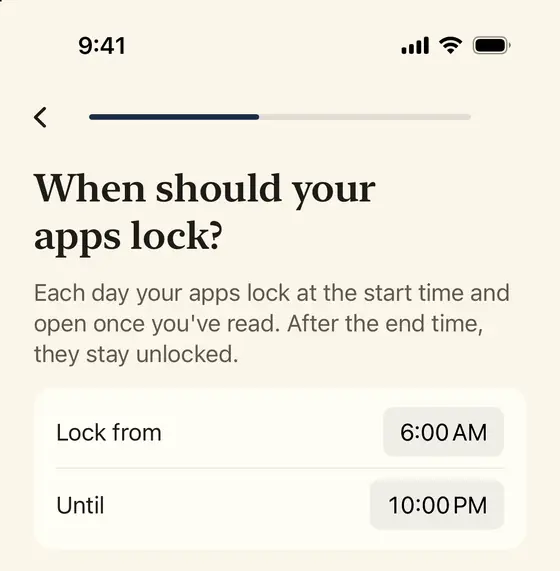
Choose when the daily lock starts and ends. - Read today's Scripture and pray. A short passage from your reading plan, then a prayer. It takes a few minutes.
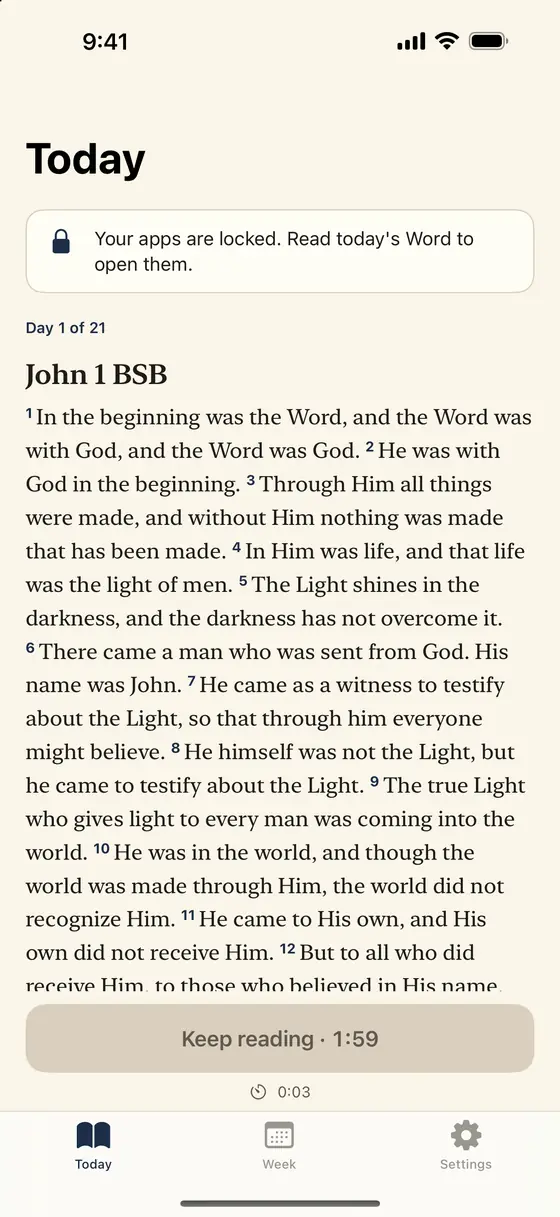
Today: the passage and a timer. - Your apps unlock. If you like, they lock again after 15, 30, or 60 minutes of use within your lock hours, and one more verse opens them.
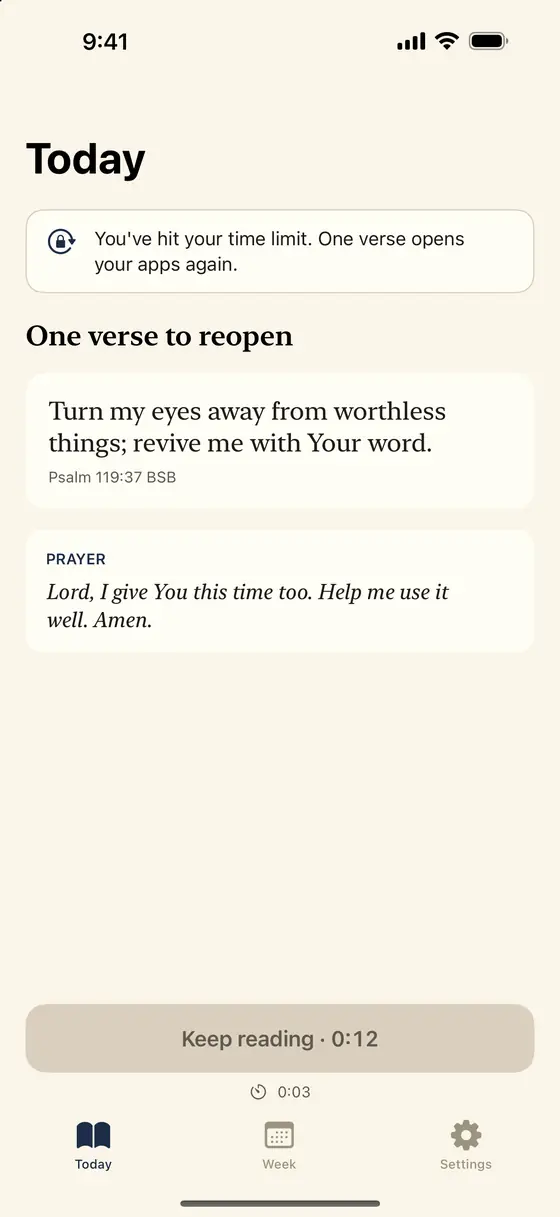
One verse to reopen.
What Psalmlock does
An app that locks your phone until you read the Bible
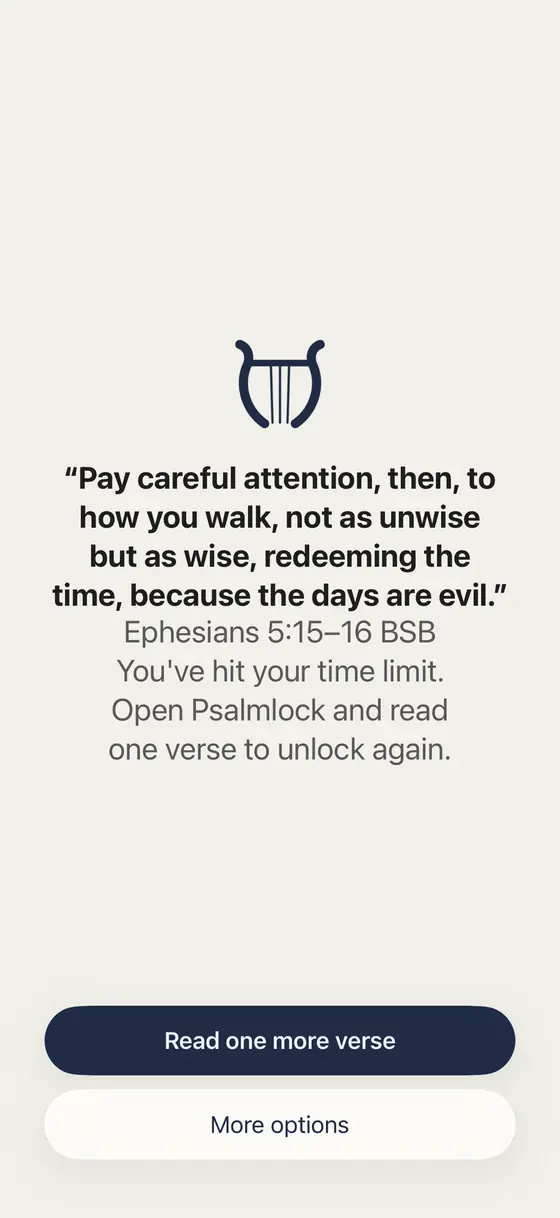
Psalmlock doesn't lock your whole iPhone. It locks the apps you pick, such as social media, games, or video, and opens them once you've read today's passage and prayed. When you open a locked app, you see a calm screen with a verse instead.
A Bible screen time app
Psalmlock turns scroll time into Scripture time. The hours you scroll in a week could be enough to read the whole Gospel of John, or even the entire New Testament. Each week, see your real numbers for the apps you lock, calculated right on your iPhone.
A Christian app blocker that locks again
Within your lock hours, your apps can lock again after 15, 30, or 60 minutes of use, and one more verse opens them. You choose this in the Settings tab. In an emergency, you can open a locked app for 5 minutes, once a day.
Reading plans for Protestants and Catholics
Read through John, Psalms, Proverbs, Mark, Romans, Philippians, Acts, or the four Gospels, with a short prayer each day. When you finish a plan, the next one begins.
For Catholics: a decade of the Rosary each day
Catholic mode can give you one decade of the Rosary each day, with the day's mystery (Joyful, Luminous, Sorrowful, or Glorious, by day of the week) and its Scripture passage.
Advent and Lent reading plans
Seasonal plans for Advent (December 1–25) and Lent. When the season ends, your usual plan picks up where you left off.
Bible verse widgets
Lock Screen and Home Screen widgets show today's verse and your streak.
Private by design
Your Screen Time data stays on your iPhone, and we never see which apps you use or for how long. No account, no ads, no tracking. If you're signed in to iCloud, your streak and reading progress are kept in your own iCloud account, so they come back on a new iPhone.
Guides
How Psalmlock works, one question at a time.
- An app that locks your phone until you read the Bible
What a locked app shows, how the daily reading unlocks it, and the honest exits.
- A Bible screen time app: see your scrolling in Scripture
How many times you could read John in your scroll hours, and what the Week tab shows.
- A Christian app blocker for iPhone that opens with a verse
Apps, hours, the relock, and the shield screen, step by step.
- A Catholic app blocker: pray a decade of the Rosary to unlock
The mysteries by weekday, Catholic translations, Advent and Lent.
- How to stop scrolling and read the Bible instead
A practical plan: lock the hours, read one passage, let the apps lock again.
- Bible reading plans with an app lock: John, Psalms, Advent, Lent
Every plan inside Psalmlock and how the lock fits around it.
- A prayer lock for your iPhone
Scripture and a prayer before your apps open; the relock prayer; the Rosary option.
Frequently asked questions
What is Psalmlock?
Psalmlock is an iPhone app that keeps the apps you choose locked until you've read today's Scripture and said a prayer. It uses Apple's Screen Time, so it works with the apps already on your phone.
Is there an app that locks my phone until I read the Bible?
Yes. Psalmlock locks the apps you choose (not your whole phone) during the hours you set, and unlocks them after you read today's passage and pray. Apps you don't choose stay open.
Is Psalmlock for Catholics or Protestants?
Both. You choose Protestant or Catholic when you start. Both get reading plans with a short daily prayer, in Protestant or Catholic Bible translations. Catholic mode can also give you one decade of the Rosary each day.
Which Bible translations are included?
Public-domain translations: the Berean Standard Bible (BSB) and World English Bible (WEB) for Protestants, the World English Bible Catholic edition (WEB-C) and Douay-Rheims for Catholics, Reina-Valera 1909 and Santa Biblia libre para el mundo in Spanish, and Bíblia Portuguesa Mundial in Portuguese.
Can my apps lock again after I unlock them?
Yes, if you want. In the Settings tab, set “Lock again after” to 15, 30, or 60 minutes, or Off. Within your lock hours, your apps lock again after that much use, and one more verse opens them. A new day starts at 3:00 AM.
Is Psalmlock free?
Psalmlock is free to download, and using it requires a subscription or a one-time purchase: Yearly (with a 7-day free trial for new subscribers), Weekly, or Lifetime. The App Store shows prices in your currency. If you start the free trial, cancel at least 24 hours before it ends to avoid being charged.
Can Psalmlock see which apps I use?
No. Your Screen Time data stays on your iPhone, and we never see which apps you use or for how long. There is no account, no ads, and no tracking.
What do I need to use Psalmlock?
An iPhone with iOS 17 or later, with Screen Time turned on, a passcode, and an iCloud sign-in. Psalmlock is in English, Spanish, and Portuguese.
Get Psalmlock on the App Store
© 2026 Eddy Studio
Apple, the Apple logo, and iPhone are trademarks of Apple Inc., registered in the U.S. and other countries and regions. App Store is a service mark of Apple Inc.