A Christian app blocker for iPhone that opens with a verse
Plenty of app blockers can hide your social apps at 6 AM. A Christian app blocker should put something better in its place. Here is how Psalmlock does that on iPhone.
Updated
What makes an app blocker Christian
Blocking is easy; Apple's Screen Time already does it. The difference is what fills the gap. Psalmlock replaces the first scroll of the day with a passage of Scripture and a short prayer, and it is built so that the reading, not the blocking, is the thing you do every day.
That shapes the design. There is no "pay to skip" button. There are no points to earn by using the app less. The daily reading is a passage from a plan through a whole book of the Bible, with a prayer at the end, and the blocked screen shows a verse rather than a warning.
Setting it up: apps, hours, and the relock
Setup takes a few minutes. You choose Protestant or Catholic, a Bible translation, and a reading plan. Then you pick the apps that pull you in. The Apple picker lets you choose individual apps or whole categories; if you choose a category, its websites are blocked in Safari too, so there is no easy way around it.
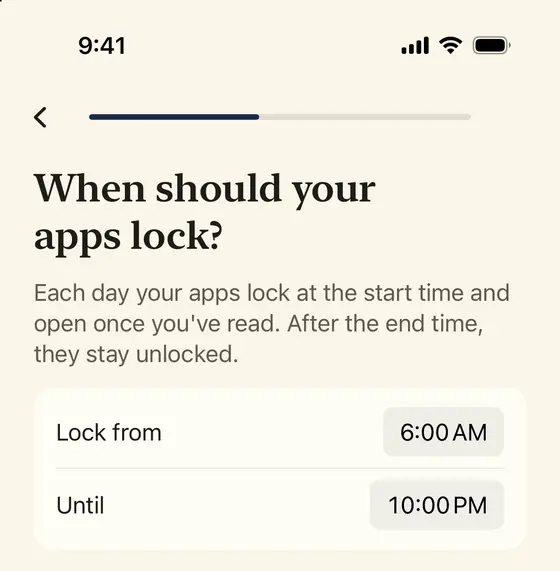
Next, you set the hours. A common choice is 6:00 AM to 10:00 PM: the apps lock when the day starts and are free late in the evening. Within those hours, "Lock again after" is the setting that keeps the blocker honest. After you unlock in the morning, your apps lock again after 15, 30, or 60 minutes of use, and one more verse opens them. You can turn it off if you only want the morning lock.
What a blocked app looks like
When you tap a blocked app, iPhone shows Psalmlock's shield instead of the app. It is a plain screen with a verse, its reference, and a button. In the morning, the verse is the first verse of today's passage. After a relock, it is a short verse about attention or time.
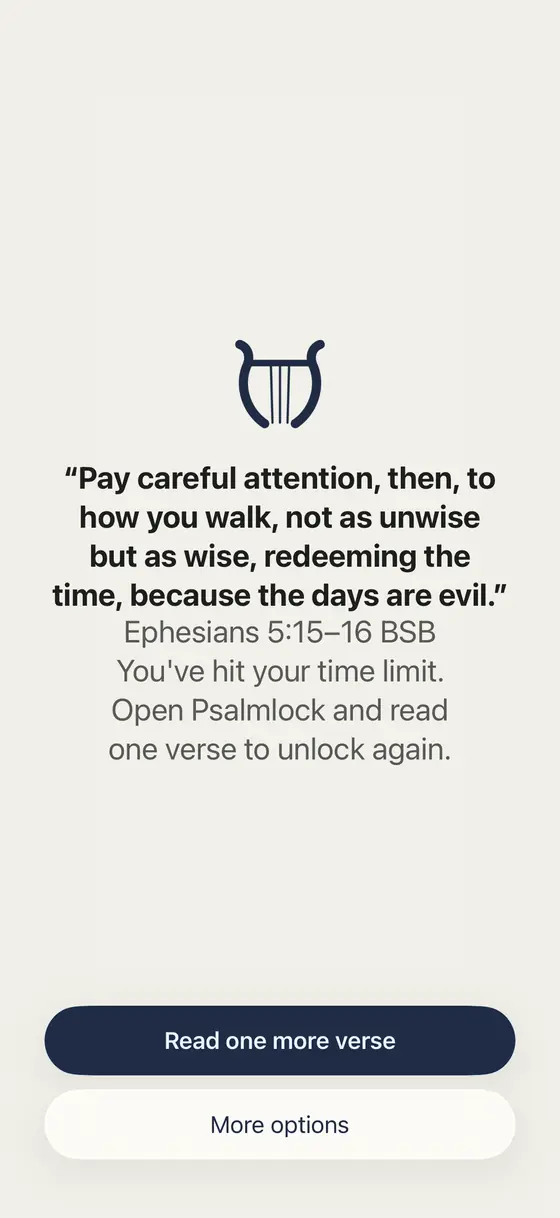
Pay careful attention, then, to how you walk, not as unwise but as wise, redeeming the time, because the days are evil.
Ephesians 5:15–16 BSB
The button sends a notification that opens today's reading in Psalmlock. "More options" holds the two honest exits: open this app for 5 minutes, once a day, for emergencies, or remind me again in 10 minutes.
Unlocking: read, pray, done
In Psalmlock, the Today tab shows the passage with verse numbers in a readable serif, a timer, and a banner reminding you that your apps are locked. The "Amen" button waits a short while, scaled to the length of the passage, so you cannot tap through. Then a short prayer, and the apps open.
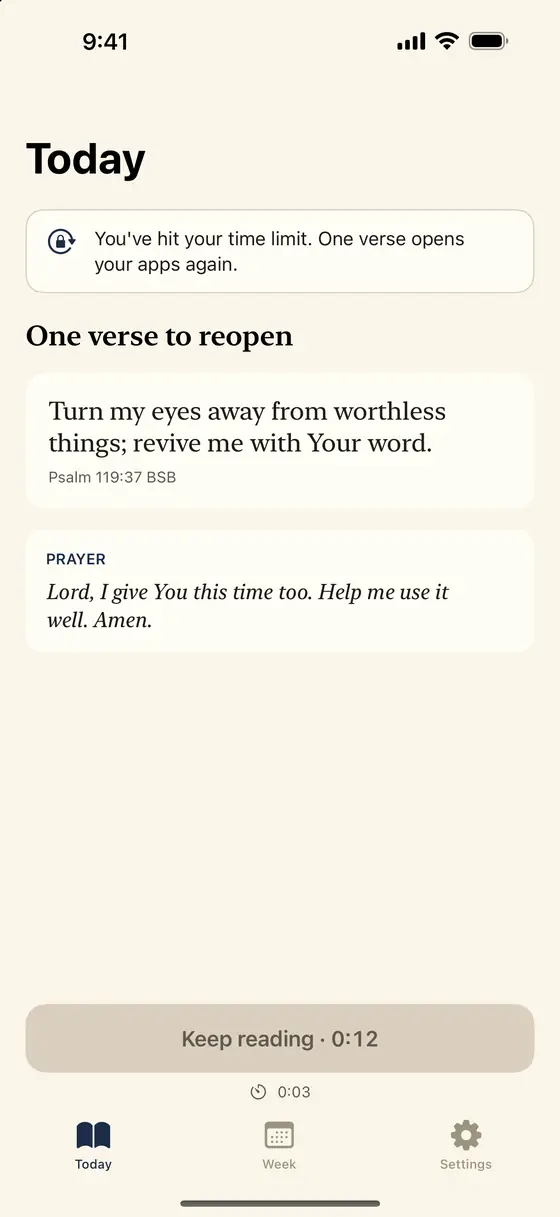
Psalmlock keeps 39 short verses for relocks, on themes like eyes, time, rest, and self-control, and rotates through them so you do not read the same line twice in a row. Each comes with a one-line prayer.
Reading plans, not random verses
A blocker that shows a different verse every morning is easy to tune out. Psalmlock reads through books: the Gospel of John in 21 days, Psalms in 30, Proverbs in 31, Mark in 16, Romans in 16, Philippians in 4, Acts in 28, and the four Gospels in 89. When a plan ends, the next begins. Advent (December 1 to 25) and Lent run on their own dates and hand back to your plan when they end.
Lock Screen and Home Screen widgets show today's verse and your streak. The Week tab shows your minutes in the Word next to your real scrolling minutes, converted into Scripture: how many times you could have read John in the hours you spent on the apps you lock.
Private, and honest about price
Psalmlock uses Apple's Screen Time on your device. Your usage data never leaves your iPhone, and we cannot see which apps you use or for how long. There is no account, no ads, and no tracking. Your streak and progress are kept in your own iCloud account.
The app is free to download and requires a subscription or a one-time purchase to use: Yearly (with a 7-day free trial for new subscribers), Weekly, or Lifetime. It needs an iPhone with iOS 17 or later, Screen Time turned on, a passcode, and an iCloud sign-in. English, Spanish, and Portuguese are supported, and both Protestant and Catholic translations are included.
Frequently asked questions
Which apps can Psalmlock block?
Any app or app category you choose in Apple's Screen Time picker. If you choose a category, its websites are blocked in Safari too.
Can I skip the reading if I pay?
No. There is no paid skip. The only exits are a 5-minute emergency pass once a day and a 10-minute reminder.
Does it block my apps all day?
Only during the hours you set. Outside those hours your apps are free. Within them, you can also have the apps lock again after 15, 30, or 60 minutes of use.
Is Psalmlock for Protestants or Catholics?
Both. You choose when you start, which sets the translations and reading plans. Catholic mode can also give you one decade of the Rosary each day.