A prayer lock for your iPhone: Scripture and a prayer before your apps open
A prayer lock holds your apps closed until you have prayed. Psalmlock pairs that prayer with a passage of Scripture, because the prayer lands better after you have read.
Updated
Read first, then pray
Psalmlock locks the apps you choose during the hours you set. To open them, you read today's passage from a plan through a whole book of the Bible, then say a short prayer written for that day. The reading is a chapter or a psalm; the prayer is a few lines. Together they take a few minutes.
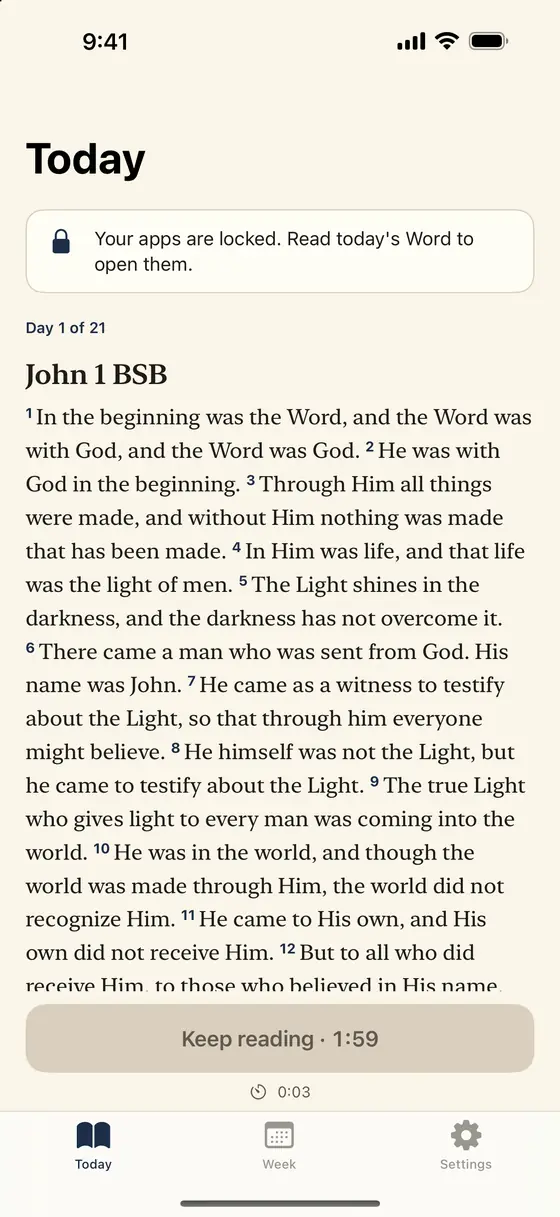
Early in the morning, while it was still dark, Jesus got up and slipped out to a solitary place to pray.
Mark 1:35 BSB
The prayers in Psalmlock were written for the app and reviewed by native speakers in English, Spanish, and Portuguese. They are plain and short. There are no preacher quotes and no commentary, just Scripture and a prayer.
The relock prayer: one verse and one line
If you turn on "Lock again after", your apps lock again after 15, 30, or 60 minutes of use within your lock hours. What opens them is one short verse and a one-line prayer. Psalmlock keeps 39 verses for this, on attention, time, rest, and self-control, and a matching set of one-line prayers, and rotates through them in order.
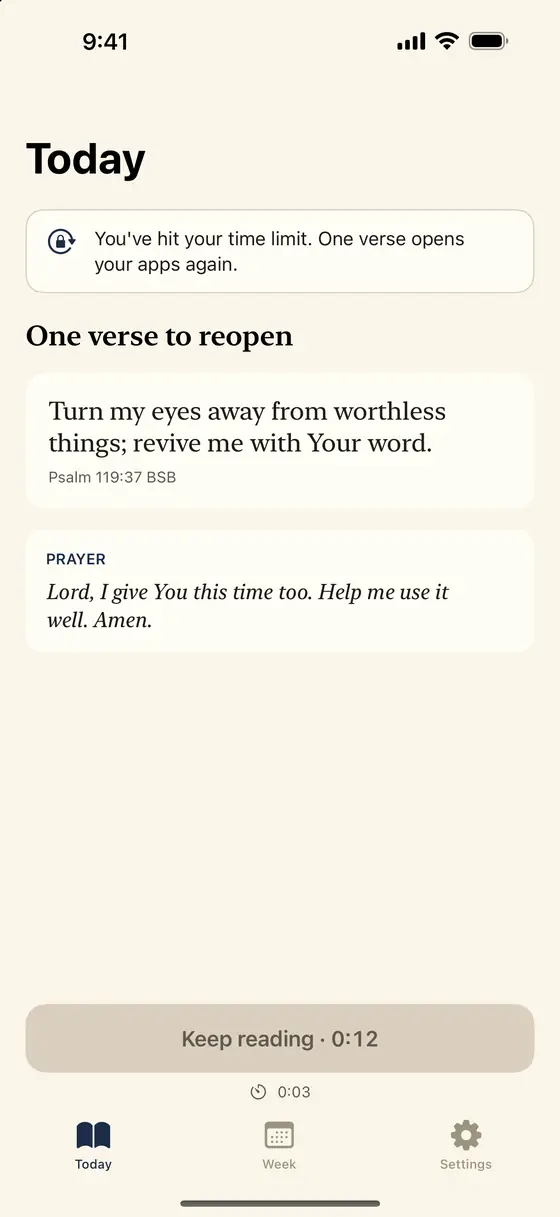
It is a small pause, and that is the point. The afternoon scroll rarely starts with a decision; it starts with a tap. A verse and a line of prayer put a decision back in.
What the locked screen shows
Tap a locked app and iPhone shows Psalmlock's shield: a verse, its reference, and a button. In the morning the verse is the first verse of today's passage; after a relock, it is the short relock verse. The button sends a notification that opens today's reading.
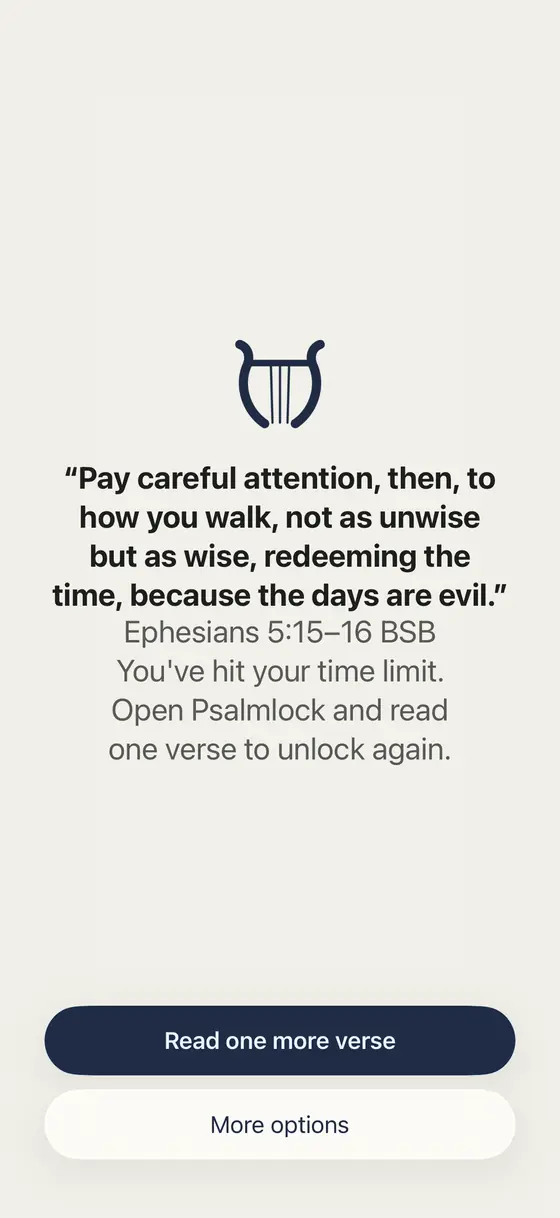
"More options" holds two honest exits: open this app for 5 minutes, once a day, for emergencies, or remind me in 10 minutes. There is no paid skip.
Setting the hours and the apps
You choose the apps that pull you in and the hours when they should stay locked. A common choice is 6:00 AM to 10:00 PM, so the day starts with Scripture and the late evening is free. You can also choose whole app categories; if you do, websites in that category are covered in Safari too.
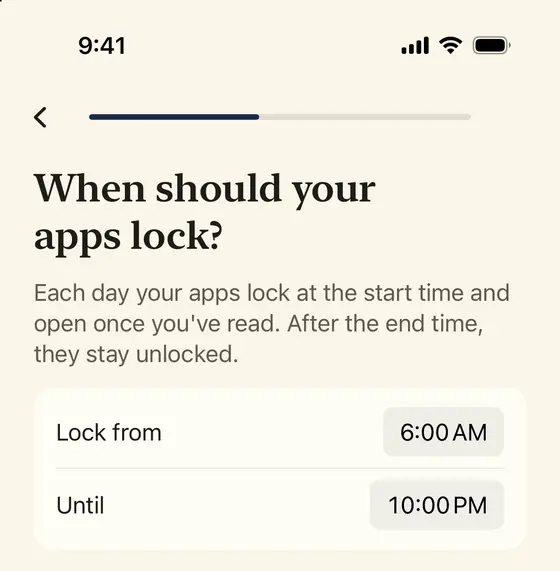
Setup also asks how long you spend on those apps each day and turns it into Scripture: two hours a day is about 14 hours a week, enough to read the whole New Testament once at 230 words per minute. The Week tab keeps showing your real numbers afterwards, next to your minutes in the Word, your streak, and your total days.
For Catholics: a decade of the Rosary
In Catholic mode you can make the daily prayer a decade of the Rosary instead of a reading: the Our Father, ten Hail Marys, the Glory Be, and the Fatima prayer, with the mystery of the day (Joyful, Luminous, Sorrowful, or Glorious, by the day of the week) and its Scripture passage in a Catholic translation. The Today tab walks you through each prayer, and your apps open when the decade is done.
Protestant and Catholic users both get reading plans through John, Psalms, Proverbs, Mark, Romans, Philippians, Acts, and the four Gospels, plus Advent and Lent, in public-domain translations: BSB and WEB, WEB-C and Douay-Rheims, and Spanish and Portuguese.
Private, simple, and what it costs
Psalmlock uses Apple's Screen Time on your iPhone to lock the apps you choose. Your usage data never leaves the phone, and we cannot see which apps you use or for how long. There is no account, no ads, and no tracking. Your streak and progress are saved in your own iCloud account, and Lock Screen and Home Screen widgets show today's verse and your streak.
The app is free to download and requires a subscription or a one-time purchase: Yearly (with a 7-day free trial for new subscribers), Weekly, or Lifetime. It needs an iPhone with iOS 17 or later, Screen Time turned on, a passcode, and an iCloud sign-in.
Frequently asked questions
Do I have to read, or can I just pray?
The daily devotion is a passage and a short prayer together. In Catholic mode you can choose a decade of the Rosary, which includes the mystery's Scripture passage.
Who wrote the prayers?
They were written for Psalmlock and reviewed by native speakers in English, Spanish, and Portuguese. They are short and plain, with no commentary.
What opens my apps after a relock?
One short verse and a one-line prayer. Psalmlock rotates through 39 verses on attention, time, rest, and self-control.
Can Psalmlock see which apps I use?
No. It uses Apple's Screen Time on your iPhone, and your usage data never leaves the device.