A Catholic app blocker: pray a decade of the Rosary to unlock
Psalmlock has a Catholic mode. Instead of a feed first thing in the morning, you get one decade of the Rosary with the day's mystery and its Gospel passage, and your apps open when you have prayed it.
Updated
One decade a day, by the day of the week
In Catholic mode you can choose "a decade of the Rosary" as your daily devotion. Psalmlock follows the traditional weekly order of the mysteries: Joyful on Monday and Saturday, Sorrowful on Tuesday and Friday, Glorious on Wednesday and Sunday, Luminous on Thursday. Within each set, the five mysteries come in order, so over the weeks you pray through all of them.
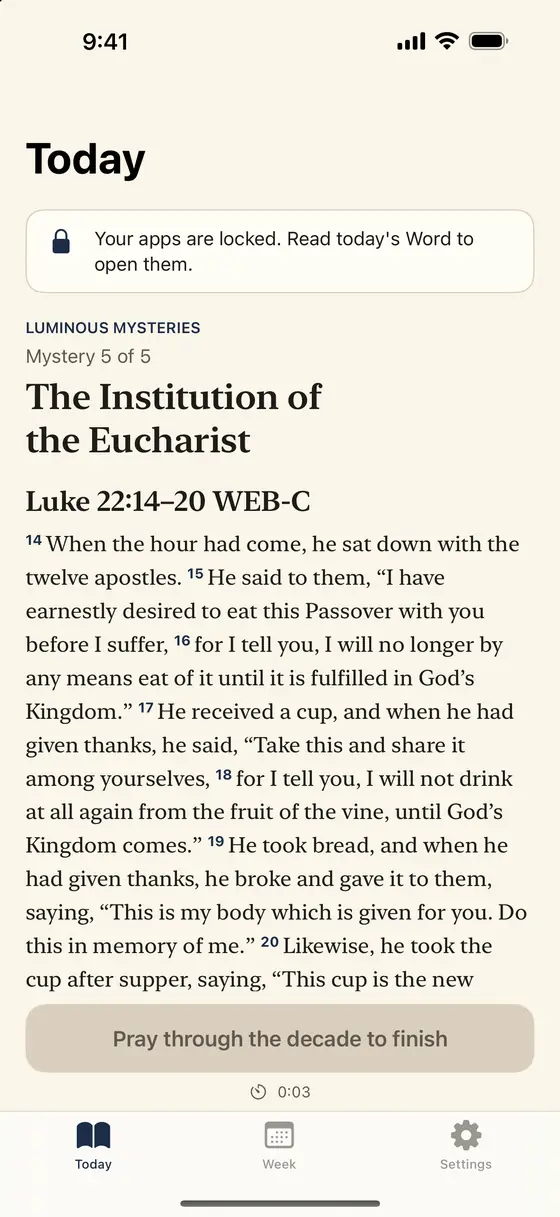
Each mystery comes with its Scripture passage, read in a Catholic public-domain translation: the World English Bible Catholic edition (WEB-C) or the Douay-Rheims. Then the decade itself: the Our Father, ten Hail Marys, the Glory Be, and the Fatima prayer. The Today tab walks you through each prayer, and the big button at the bottom moves you forward.
But Mary treasured up all these things and pondered them in her heart.
Luke 2:19 BSB
Or read a passage instead
If you would rather read than pray the Rosary on a given season of life, Catholic mode has the same reading plans as Protestant mode, in Catholic translations: the Gospel of John (21 days), Mark (16), Psalms (30 selected psalms, with Hebrew numbering shown in the app and Douay numbering handled for you), Acts (28), Philippians (4), Proverbs (31), Romans (16), and the four Gospels (89). When a plan ends, the next begins.
There are seasonal plans too. Advent runs December 1 to 25 and reads the Christmas story day by day: the prophets' promises, then Matthew and Luke. Lent runs from Ash Wednesday to Holy Saturday, following Luke toward Jerusalem with the seven penitential psalms on the way; Sundays have their own readings. When the season ends, your usual plan picks up where you left off.
How the lock works
The lock is the same for Catholics and Protestants. You choose the apps that pull you in and the hours when they should stay locked. During those hours they open only after you have finished the day's devotion: the decade, or the passage and prayer. The lock uses Apple's Screen Time, so it works with the apps already on your iPhone.
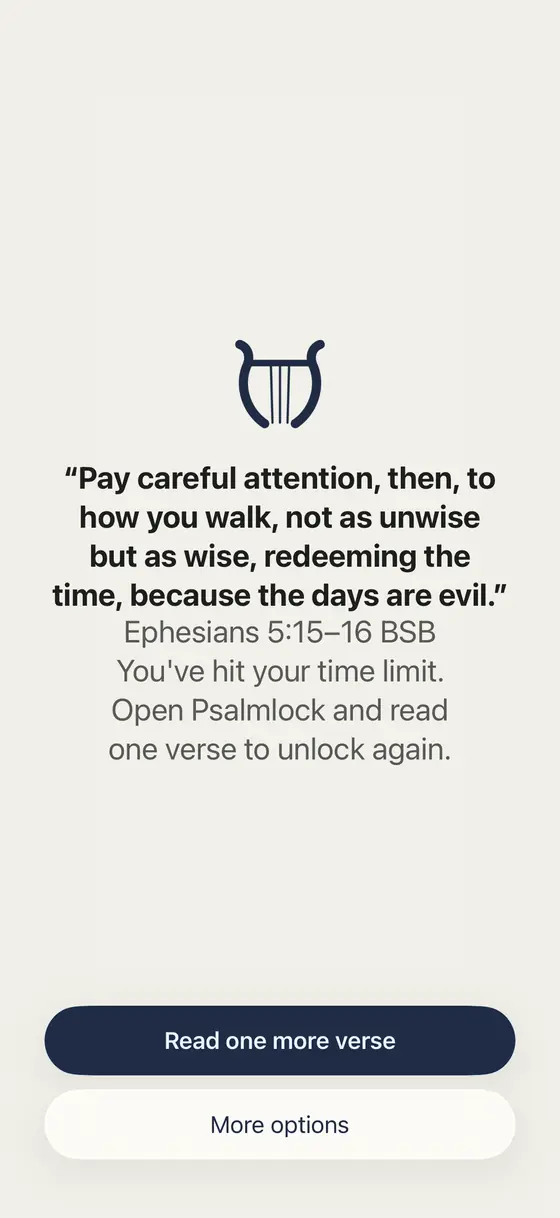
Tap a locked app and you see a calm screen with a verse. "Lock again after" is optional: your apps can lock again after 15, 30, or 60 minutes of use within your lock hours, and one more short verse with a one-line prayer opens them. For emergencies, "More options" opens an app for 5 minutes, once a day.
Your scrolling, in Scripture
When you set Psalmlock up, it asks how long you spend on your go-to apps each day and turns that into Scripture: two hours a day is about 14 hours a week, enough to read the whole New Testament once, or the Gospel of John ten times, at 230 words per minute. After that, the Week tab shows your real weekly numbers for the apps you lock, next to your minutes in prayer and reading, your day streak, and your total days. Everything is calculated on your iPhone.
Built with care for Catholic users
The Catholic prayers and mystery titles in Psalmlock were reviewed by native speakers in English, Spanish, and Portuguese. The Spanish Catholic translation is Santa Biblia libre para el mundo; the Portuguese translation is Bíblia Portuguesa Mundial. Psalms are listed with Hebrew numbering in the app, and the Douay-Rheims numbering is matched automatically so the passage you read is the right one.
Lock Screen and Home Screen widgets show today's verse and your streak. Your streak and progress are stored in your own iCloud account. Your Screen Time data stays on your iPhone, and there is no account, no ads, and no tracking.
Price and requirements
Psalmlock is free to download. Using it requires a subscription or a one-time purchase: Yearly (with a 7-day free trial for new subscribers), Weekly, or Lifetime. The App Store shows prices in your currency.
You need an iPhone with iOS 17 or later, Screen Time turned on, a passcode, and an iCloud sign-in. You can switch between Catholic and Protestant mode in Settings at any time.
Frequently asked questions
Which mysteries does Psalmlock pray on which day?
The traditional order: Joyful on Monday and Saturday, Sorrowful on Tuesday and Friday, Glorious on Wednesday and Sunday, Luminous on Thursday. The five mysteries of each set come in order.
Is it a full Rosary every day?
No. Psalmlock gives you one decade a day: the Our Father, ten Hail Marys, the Glory Be, and the Fatima prayer, with the mystery's Scripture passage.
Which Catholic Bible translations are included?
World English Bible Catholic edition (WEB-C) and Douay-Rheims in English, Santa Biblia libre para el mundo in Spanish, and Bíblia Portuguesa Mundial in Portuguese.
Can I read a passage instead of praying the Rosary?
Yes. Catholic mode has the same reading plans, in Catholic translations: John, Mark, Psalms, Acts, Philippians, Proverbs, Romans, the four Gospels, plus Advent and Lent.