An app that locks your phone until you read the Bible
If you have searched for an app that locks your phone until you read the Bible, this is what Psalmlock does, step by step, with the real screens.
Updated
What “locks your phone” actually means
Psalmlock does not lock your whole iPhone. Calls, Messages, Maps, and everything you did not pick stay open. What it locks is the short list of apps you choose: usually social media, video, games, or whatever pulls you in first thing in the morning. During the hours you set, those apps stay locked until you have read today's passage and said a short prayer.
The lock is built on Apple's Screen Time, the same system that parents use for family limits. That matters for two reasons. First, it works with the apps already on your phone; you do not switch to a different browser or a different social app. Second, your usage data never leaves your iPhone. Psalmlock cannot see which apps you use or for how long.
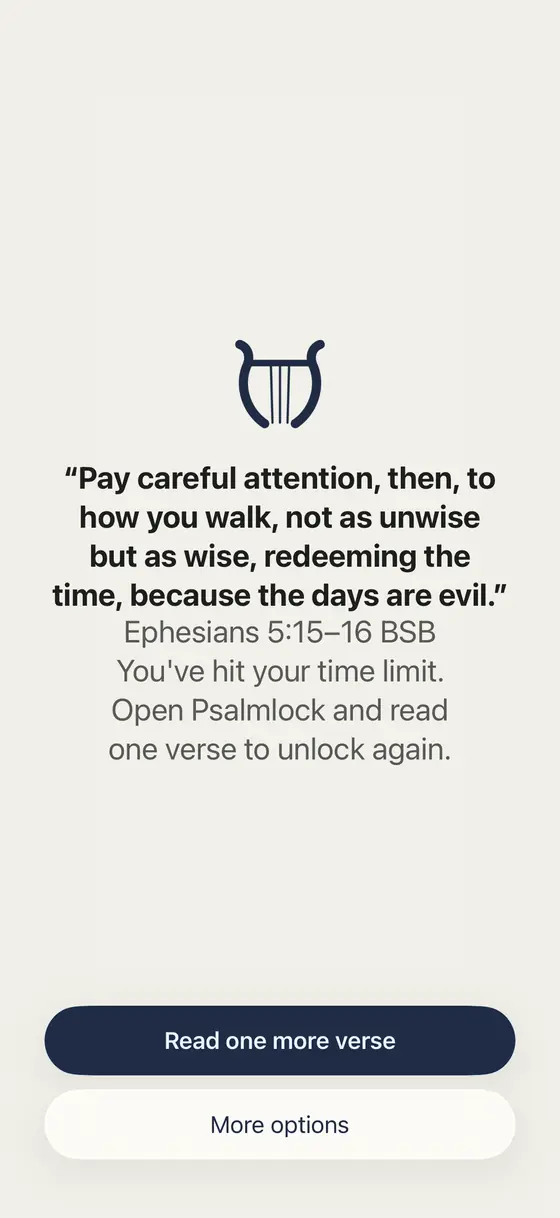
When you tap a locked app, you do not get a grey wall. You get a calm screen with a verse and a button. Tap it, and a notification takes you to today's reading in Psalmlock.
How a day with Psalmlock goes
- The lock starts at the time you chose. Many people set it from 6:00 AM, so the first thing the phone offers is Scripture, not a feed. You choose the start and end time; outside those hours your apps are free.
- You open Psalmlock and read. Today's passage comes from your reading plan (for example, John 1 on day one of the Gospel of John). A reading timer runs, and the "Amen" button waits a short while based on the length of the passage, so a tap does not count as a reading.
- You pray and your apps open. A short daily prayer closes the reading. The lock lifts right away.
- Optionally, the apps lock again. If you turn on "Lock again after", your apps lock again after 15, 30, or 60 minutes of use within your lock hours, and one more verse opens them.
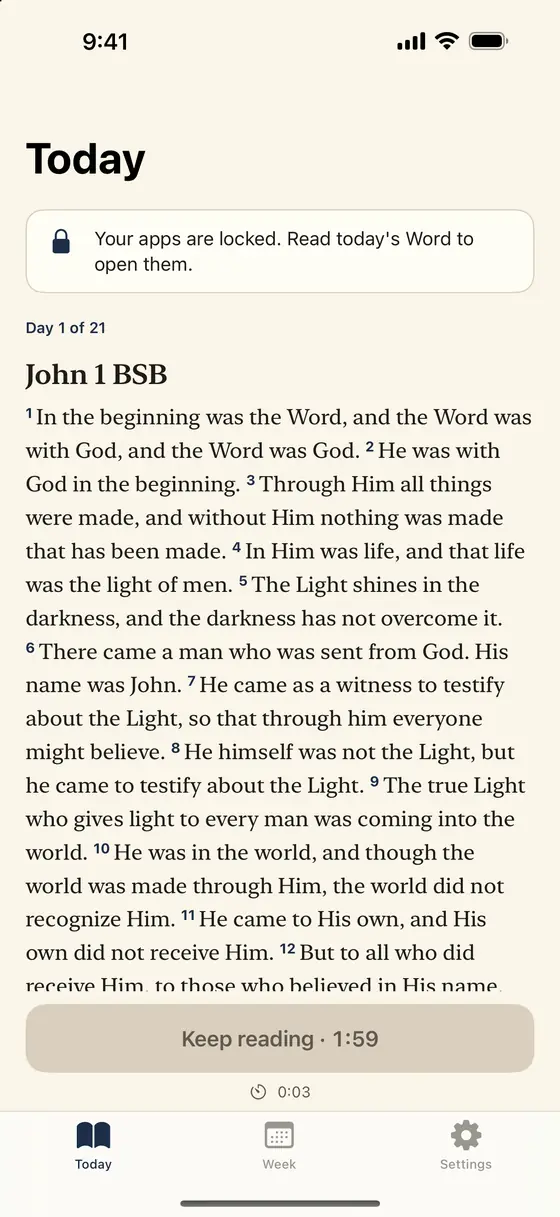
Reading plans go through whole books: John (21 days), Psalms (30 selected psalms), Proverbs (31), Mark (16), Romans (16), Philippians (4), Acts (28), and the four Gospels (89). When a plan ends, the next one begins. There are Advent and Lent plans too. Catholic mode can give you one decade of the Rosary each day instead.
The verse that opens your apps
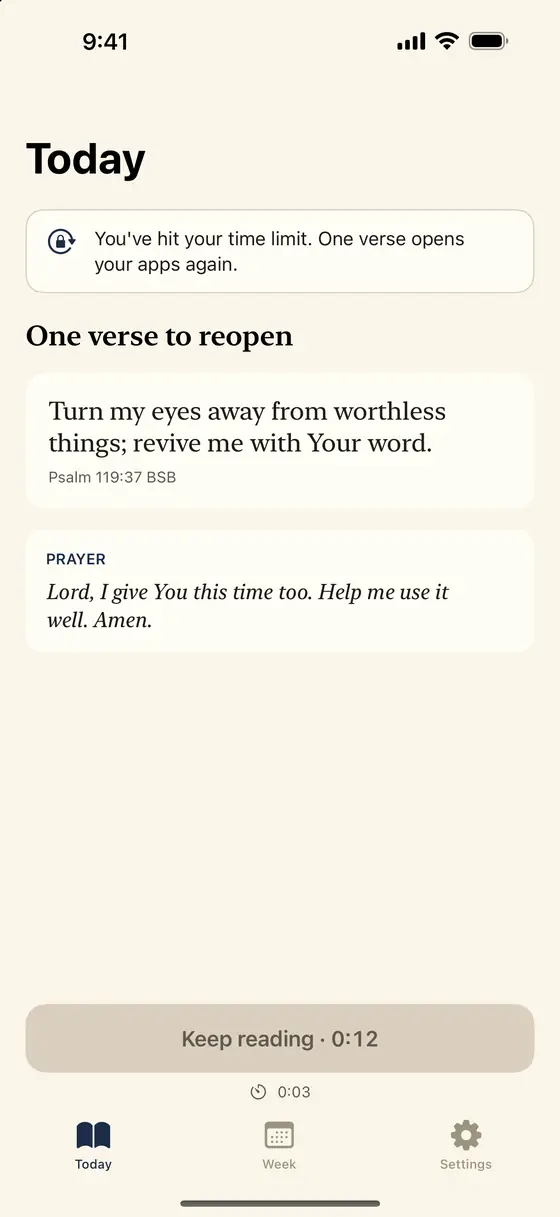
The passage you read each day is the core. But the smaller moment, the "one more verse" when you have scrolled past your limit, is what many people end up remembering. Psalmlock keeps a set of short verses about attention, time, rest, and self-control, and shows the next one each time your apps lock again.
Turn my eyes away from worthless things; revive me with Your word.
Psalm 119:37 BSB
Scripture is shown in public-domain translations: the Berean Standard Bible (BSB) and World English Bible (WEB) for Protestants, the World English Bible Catholic edition (WEB-C) and Douay-Rheims for Catholics, plus Spanish and Portuguese translations. You can also open the day's passage in another translation on bible.com from inside the app.
What if I really need that app?
Being locked out of something you need is the fastest way to delete a focus app, so Psalmlock has two honest exits. On the locked screen, "More options" lets you open the app for 5 minutes, once a day, for emergencies. It can also remind you again in 10 minutes. There is no way to buy your way past a reading, because the reading is the point.
A new day starts at 3:00 AM, so a late night does not reset your morning. Your streak and reading progress are stored in your own iCloud account, so they come back if you reinstall or get a new iPhone.
What it costs and what you need
Psalmlock is free to download. Using it requires a subscription or a one-time purchase: Yearly (with a 7-day free trial for new subscribers), Weekly, or Lifetime. The App Store shows prices in your currency. If you start the free trial, cancel at least 24 hours before it ends to avoid being charged.
You need an iPhone with iOS 17 or later, Screen Time turned on, a passcode, and an iCloud sign-in. The app is in English, Spanish, and Portuguese. There is no account to create, no ads, and no tracking.
Frequently asked questions
Does Psalmlock lock my whole phone?
No. It locks only the apps you choose, during the hours you set. Calls, Messages, and everything else stay open.
What do I have to do to unlock my apps?
Read today's passage from your reading plan and say a short prayer in Psalmlock. The lock lifts as soon as you finish. If you turned on "Lock again after", one more verse reopens them later in the day.
Can I open a locked app in an emergency?
Yes. On the locked screen, "More options" opens the app for 5 minutes, once a day.
Which Bible translations does it use?
Public-domain translations: BSB and WEB for Protestants, WEB-C and Douay-Rheims for Catholics, Reina-Valera 1909 and Santa Biblia libre para el mundo in Spanish, and Bíblia Portuguesa Mundial in Portuguese.
Is it free?
Free to download. Using it requires a subscription or a one-time purchase: Yearly (7-day free trial for new subscribers), Weekly, or Lifetime.