A Bible screen time app: see your scrolling in Scripture
Most screen time apps show you a number. Psalmlock shows you what that number could have been: how much of the Bible fits in the hours you scroll.
Updated
Your scrolling, in Scripture
Two hours a day on your go-to apps is about 14 hours a week. Read at an ordinary silent pace of 230 words per minute, that is enough time to read the whole New Testament once, or the Gospel of John ten times, every week. Over a year, it is the whole Bible about thirteen times.
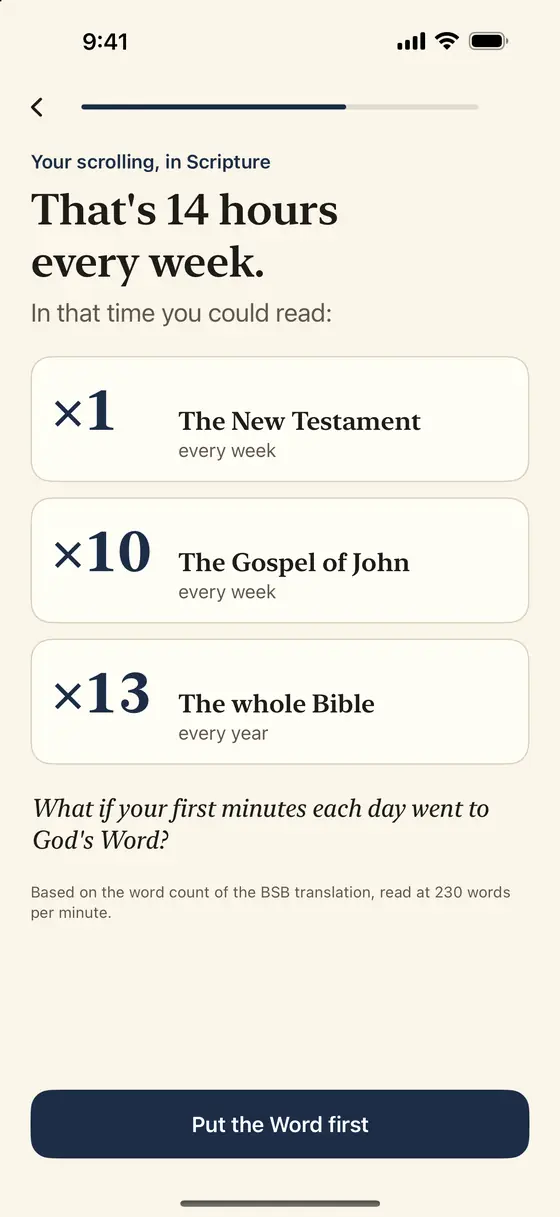
These numbers are not a guess. Psalmlock counts the words of each book in the Berean Standard Bible (BSB) and divides by a standard reading speed. The app shows this first when you set it up, with your own daily estimate, and then every week with your real usage of the apps you lock.
So teach us to number our days, that we may present a heart of wisdom.
Psalm 90:12 BSB
Then it does something about it
A number alone rarely changes a habit. Psalmlock pairs the number with a lock. You pick the apps that take your time, and the hours when they should stay locked. During those hours the apps open only after you have read today's Scripture passage and said a short prayer.
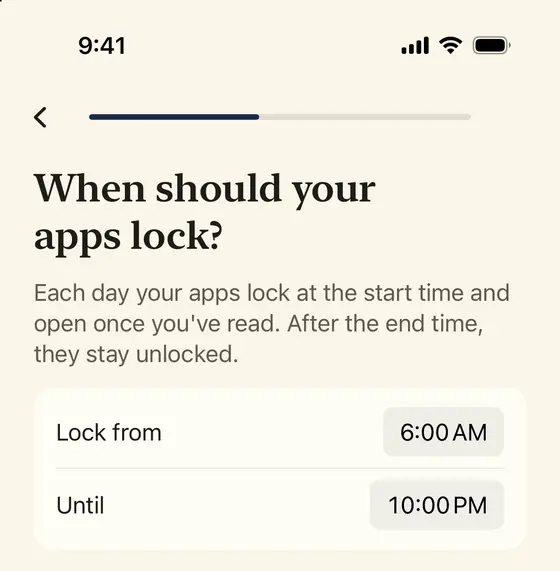
The lock uses Apple's Screen Time, so it works with the apps already on your phone, and if you pick an app category, websites in that category are covered in Safari too. The reading takes a few minutes; it is a passage from a plan through a whole book, not a random verse.
If you want the lock to hold through the day, turn on "Lock again after". Your apps then lock again after 15, 30, or 60 minutes of use within your lock hours, and one more verse opens them. You can change this any time in the Settings tab.
The Week tab: minutes in the Word, not just minutes on apps
The Week tab shows three numbers: minutes in the Word, your day streak, and total days. Under them, "Your scrolling, in Scripture" shows your real weekly usage of the locked apps, converted into Scripture the same way as the setup screen.
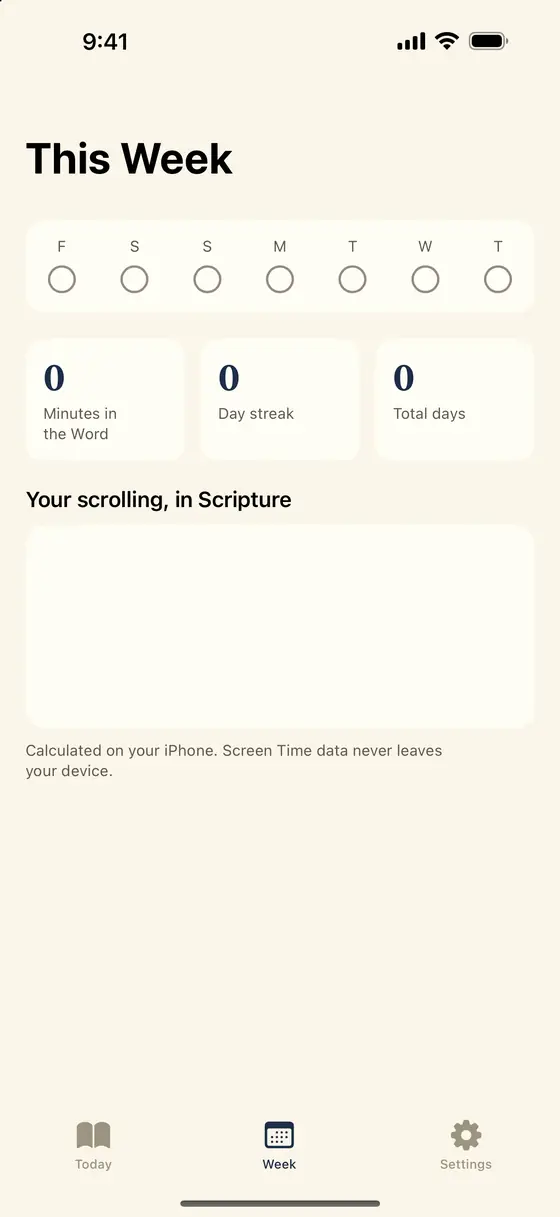
All of this is calculated on your iPhone. Psalmlock reads your Screen Time totals inside an Apple-provided report extension that cannot send data anywhere. We never see which apps you use or for how long. There is no account, no ads, and no tracking.
Your streak and reading progress are saved in your own iCloud account, so they survive a reinstall or a new phone. You can also share a simple card with your reading minutes for the week.
Widgets and the evening reminder
Two small things keep the number in front of you. Lock Screen and Home Screen widgets show today's verse and your streak, so the verse is on the screen you look at most. And an optional evening reminder, which you can turn on in Settings, nudges you if you have not read yet that day. Neither needs an account or sends anything off your phone.
A new day starts at 3:00 AM, so a late night does not reset your morning. You can change your locked apps, your lock hours, and "Lock again after" any time in the Settings tab. Your streak counts the days you read.
Who it is for
Psalmlock is for Protestants and Catholics who want their first minutes of the day to go to God's Word. You choose your tradition when you start, which sets the Bible translations and the reading plans you see. Catholic mode can also give you one decade of the Rosary each day, with the day's mystery and its Scripture passage.
It is not a general app blocker with a Bible skin. There is no points system, no AI chat, and no feed of its own. The lock exists to make room for the reading, and the reading plans go through whole books: John, Psalms, Proverbs, Mark, Romans, Philippians, Acts, and the four Gospels, plus Advent and Lent.
Price and requirements
Psalmlock is free to download. Using it requires a subscription or a one-time purchase: Yearly (with a 7-day free trial for new subscribers), Weekly, or Lifetime. The App Store shows prices in your currency.
You need an iPhone with iOS 17 or later, Screen Time turned on, a passcode, and an iCloud sign-in. The app is in English, Spanish, and Portuguese.
Frequently asked questions
How does Psalmlock calculate "your scrolling in Scripture"?
It takes your weekly minutes on the apps you lock, multiplies by 230 words per minute, and divides by the word count of each book in the Berean Standard Bible. Everything is calculated on your iPhone.
Does Psalmlock see my Screen Time data?
No. The weekly numbers are computed inside an Apple report extension on your phone. We never see which apps you use or for how long.
Can I use it without locking anything?
The lock is the point of Psalmlock, but you decide which apps and which hours. Outside your lock hours, everything is open.
Does it work with the apps I already have?
Yes. Psalmlock uses Apple's Screen Time to lock the apps you choose. You do not switch to another browser or another social app.